
Finance teams don’t celebrate flashy features. They celebrate smooth month-end closes, accurate VAT reports and invoices that don’t come back rejected.
With Odoo 19 Accounting, the focus is clear: better e-invoicing, smarter tax handling and stronger fiscal localization tools that reduce manual corrections and improve compliance readiness.
If you’re upgrading or implementing Odoo 19, here’s what actually matters for accounting teams and how to use it effectively.
What’s New in Odoo 19 Invoicing?
One of the most practical upgrades in Odoo 19 Accounting is expanded electronic invoicing support.
Key Improvements:
- Easier configuration of e-invoice formats by customer country
- Default invoice format per customer record
- Batch sending of electronic invoices
- Cleaner integration with vendor electronic documents
- Simplified format switching for international clients
For companies selling across borders, this eliminates unnecessary clicks and reduces invoice formatting errors.
Why This Matters
Electronic invoicing isn’t just about going paperless it reduces:
- Manual data entry
- Invoice disputes
- Payment delays
- Accounts payable exceptions
Studies across finance automation projects show companies often reduce per-invoice processing costs significantly when switching to structured e-invoicing formats.
In real-world Odoo 19 implementations, teams commonly notice:
- Faster invoice validation
- Fewer rejected invoices
- Quicker customer payments
That’s tangible operational value, not just a new feature.
Smarter VAT & Tax Handling in Odoo 19
Tax rules are rarely simple. Between VAT, GST, zero-rated supplies, exports and regional exceptions, finance teams spend considerable time verifying accuracy.
Odoo 19 introduces more refined tax configuration options.
What’s Improved:
- Enhanced tax exception rules
- Conditional tax logic
- Improved activation of preconfigured taxes
- Better automation via fiscal positions
Practical Example
If you sell to:
- Domestic customers
- Intra-community EU buyers
- Export clients
You can configure fiscal positions with automatic detection, so Odoo:
- Applies correct VAT rate
- Maps accounts correctly
- Handles zero-rated supplies
- Reduces manual tax overrides
That directly lowers human error during the month-end.
Fiscal Localization: Cleaner Compliance Without Core Modifications
Compliance often requires customization but rewriting core accounting logic creates risk.
Odoo 19 continues its modular approach using:
- Fiscal localization packages
- Country-specific charts of accounts
- Preconfigured tax reports
- Modular hooks for electronic reporting
When creating a new database, Odoo automatically installs the appropriate fiscal package based on the company country.
For developers and integrators, localization modules allow:
- Custom VAT declaration lines
- Country-specific e-invoice formats
- Electronic document transmission standards
- Additional compliance validations
This keeps compliance logic separate from core accounting, making upgrades safer.
What Accounting Teams Actually Experience After Upgrading
In practical deployments of Odoo 19 Accounting:
Finance teams typically report within the first quarter:
- Fewer invoice exceptions
- Faster reconciliations
- Reduced tax corrections
- Shorter month-end closing time
Accounts Payable teams moving to structured e-invoicing often experience improved straight-through processing meaning fewer manual interventions.
More automation doesn’t eliminate finance oversight but it reduces repetitive corrections.
Implementation Checklist for Odoo 19 Accounting
Before going live, focus on these critical checkpoints:
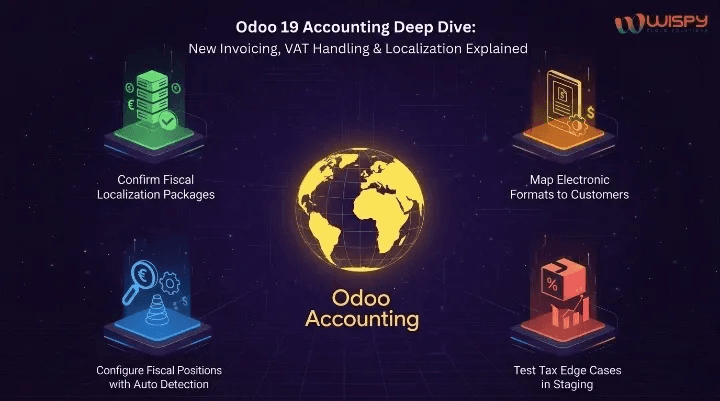
1. Confirm Fiscal Localization Packages
Ensure the correct country localization is installed.
If operating across multiple jurisdictions, configure additional packages carefully.
2. Map Electronic Formats to Customers
Assign the correct e-invoice format per trading partner to prevent transmission errors.
3. Configure Fiscal Positions with Auto Detection
Automate recurring cross-border tax scenarios to eliminate manual overrides.
4. Test Tax Edge Cases in Staging
Run test invoices for:
- Mixed VAT rates
- Discounts
- Tax relief scenarios
- Cross-border sales
Validate tax reports before cutover.
Reporting & Back-Office Considerations
Automation increases transaction speed. Finance teams should ensure:
- Electronic transmissions are logged
- XML/EDI payloads are stored locally
- Reconciliation rules are reviewed
- Bank matching rules are adjusted
Faster invoicing usually means more frequent reconciliation cycles prepare the team accordingly.
Where to Focus First for Maximum ROI
If you’re upgrading to Odoo 19 Accounting, prioritize:
- Correct fiscal localization setup
- Proper e-invoice format configuration
- Automated fiscal positions
- Tax exception testing
Once those foundations are solid, compliance improves and exception rates decrease.
That’s when finance teams feel the real benefit: predictable closes, fewer surprises and audit-ready documentation.
Conclusion
Odoo 19 Accounting doesn’t reinvent finance it refines it.
With:
- Expanded electronic invoicing
- Smarter VAT handling
- Modular fiscal localization
- Improved tax automation
Finance teams gain greater control and less manual correction work.
The real value is not in the feature list, it’s in fewer rejected invoices, cleaner VAT reports and a smoother month-end close.
When implemented carefully, Odoo 19 Accounting becomes a stability engine for growing businesses.
How Wispy Helps with Odoo 19 Accounting Implementations
Wispy supports organizations in configuring Odoo 19 Accounting, including:
- Fiscal localization setup
- E-invoicing integration
- VAT automation and tax exception configuration
- Custom compliance reporting
- Upgrade and migration planning
Our focus is audit readiness, predictable closing cycles and measurable reduction in manual accounting effort.
FAQs
1. What’s new in Odoo 19 Accounting?
Odoo 19 enhances electronic invoicing, tax configuration and fiscal localization tools to improve compliance and automation.
2. Does Odoo 19 support country-specific tax rules?
Yes. Odoo 19 includes modular fiscal localization packages with country-specific tax reports and charts of accounts.
3. Can Odoo 19 automate VAT handling?
Yes. Fiscal positions and tax detection rules allow automated VAT mapping for domestic and cross-border transactions.
4. Is e-invoicing mandatory in Odoo 19?
E-invoicing depends on country regulations, but Odoo 19 supports multiple electronic invoice formats.
5. How does Odoo 19 improve month-end closing?
Automation of tax mapping, invoice validation and reconciliation reduces manual corrections and accelerates closing cycles.